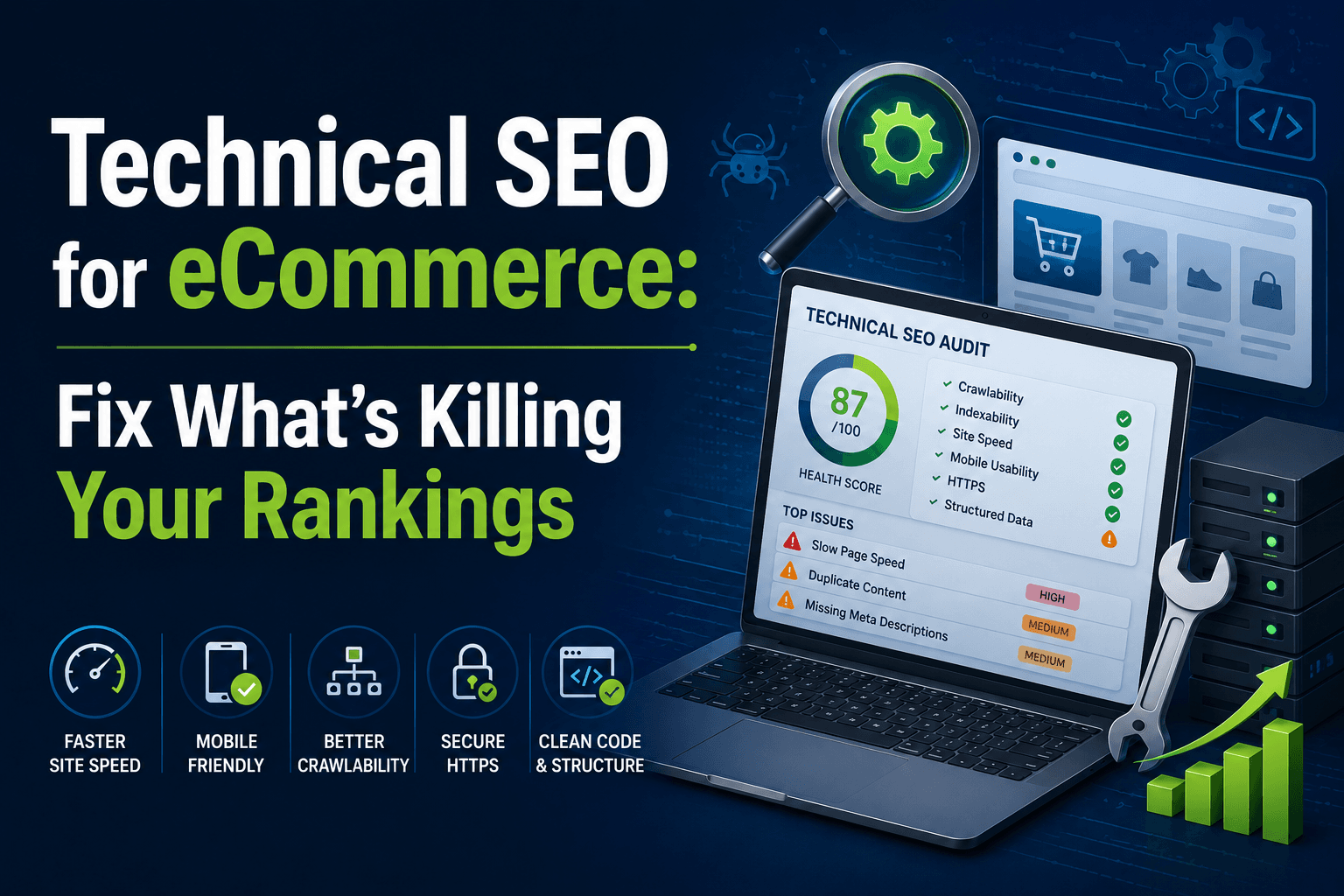
Technical SEO for eCommerce: Fix the Issues That Limit Rankings and Revenue
You've written product descriptions. You've targeted keywords. You've published blog content. But your rankings are stuck and your organic revenue hasn't moved.
Here's the uncomfortable truth: your content can't rank if your technical foundation is broken.
Most eCommerce store owners pour energy into the visible parts of SEO: keywords, copy, backlinks and completely overlook what's happening under the hood. Technical SEO determines whether Google can even find your pages, understand them, and trust them enough to rank them.
This guide breaks down every major technical SEO issue affecting eCommerce stores, what causes each problem, what it costs you if you ignore it, and exactly how to fix it.
What Is Technical SEO for eCommerce?
Technical SEO is the process of optimising your website's infrastructure so search engines can crawl, index, and rank your pages effectively.
For eCommerce, this covers:
- How search engine bots navigate your site
- Which pages get indexed and which get ignored
- How fast your pages load on mobile and desktop
- Whether your product data is structured in a way Google understands
- How efficiently Google's crawl budget is spent across your catalogue
Unlike content SEO (which focuses on what's on the page) or off-page SEO (backlinks and authority), technical SEO focuses on how the site is built and how it behaves.
Why eCommerce is more complex than other websites: A typical business website has 20–50 pages. A mid-sized eCommerce store can have 10,000–500,000 URLs once you account for product pages, category pages, filter combinations, pagination, and URL variants. Each of these multiplies the risk of technical problems.
Why Technical SEO Matters for Online Stores
Technical issues don't just affect rankings—they directly affect revenue.
| Technical Problem | Direct SEO Impact | Business Cost |
|---|---|---|
| Crawl budget waste | New products never get indexed | Lost sales on new inventory |
| Duplicate content | Rankings split across multiple URLs | Lower positions, less traffic |
| Slow page speed | Higher bounce rate, lower dwell time | Fewer conversions |
| Missing structured data | No rich snippets in search results | Lower click-through rate |
| Indexation gaps | Only part of your catalogue is found | Revenue left on the table |
| Broken internal links | Pages lose authority and ranking signals | Rankings drop unexpectedly |
According to a 2023 study by Ahrefs, over 90% of web pages receive zero organic traffic and a significant portion of that is due to indexation and crawlability issues, not poor content. For eCommerce, where each product page represents a revenue opportunity, this gap is costly.
Google has also confirmed that page speed is a direct ranking factor, and research from Google's own data shows that the probability of a user bouncing increases 32% when page load time goes from 1 second to 3 seconds and by 90% when it reaches 5 seconds.
The bottom line: technical SEO isn't a background task. It's revenue infrastructure.
Common Technical SEO Issues in eCommerce
Before we go deep, here's a snapshot of the most frequently found issues across eCommerce sites:
- Duplicate product pages created by URL parameters (filters, colour, size, sort)
- Faceted navigation generating thousands of near-identical low-value URLs
- Crawl budget consumed by cart, wishlist, and login pages
- Missing or misconfigured canonical tags
- Thin category pages with no unique content
- No product schema or incorrect structured data markup
- Unoptimised images slowing down product and category pages
- XML sitemaps containing 404s, redirect URLs, or noindex pages
- Orphaned product pages with no internal links pointing to them
- Incorrect use of noindex/nofollow on key pages
Now let's fix each one.
1. Duplicate Content in eCommerce Sites
Why It Happens
Duplicate content is the most widespread and underestimated technical issue in eCommerce. It occurs when the same (or nearly identical) content appears at multiple URLs—and eCommerce platforms create these situations almost automatically.
The most common causes:
- URL parameters: /products/shoes?colour=red and /products/shoes?sort=price render the same page with different URLs
- Product variants: The same shoe available in three sizes creates three pages with 95% identical content
- Faceted navigation: Filter combinations like /dresses/red/size-12/under-$100 can generate millions of unique URLs
- Session IDs: Some platforms append session tokens to URLs, creating infinite variations
- WWW vs. non-WWW: www.yourstore.com and yourstore.com are treated as different URLs without a redirect
- HTTP vs. HTTPS: Both versions can be indexed without proper enforcement
- Trailing slashes: /products/shoes and /products/shoes/ are two different URLs to Google
Platform-specific note (Shopify): Shopify automatically creates duplicate product URLs when products are accessed via a collection—/collections/shoes/products/nike-air and /products/nike-air both exist and both contain the same content. Shopify adds a canonical tag pointing to the root /products/ URL, which handles the duplicate content penalty—but it does not fix the crawl budget waste. Googlebot still crawls both paths.
To address this more completely, edit your Shopify theme's product card templates (e.g., product-card.liquid or product-grid-item.liquid) to ensure all internal links always point to the root /products/product-name URL instead of the collection-aware path. This prevents Googlebot from discovering and repeatedly crawling the longer duplicate URLs through your site's own internal link structure.
Platform-specific note (WooCommerce): WooCommerce creates duplicate pages for products accessible through multiple categories, plus pagination variants with identical meta titles.
What Happens If You Ignore It?
- Google splits ranking power (PageRank) between duplicate versions, weakening all of them
- The wrong version of your page may be indexed, often a parameter URL rather than your clean URL
- You compete against yourself in search results
- Crawl budget is wasted on pages that add no value
- Rankings become unstable and fluctuate without explanation
How to Fix It
Step 1 — Implement canonical tags correctly Add <link rel="canonical" href="https://yourstore.com/products/nike-air" /> to all duplicate or near-duplicate pages. This tells Google which URL is the preferred version without blocking access to the others.
Step 2 — Control URL parameters via robots.txt Use the Disallow: directive in robots.txt for parameter URLs that add no SEO value. Note: Google retired the URL Parameters tool in Google Search Console in April 2022—it no longer exists. For parameter management today, rely on robots.txt Disallow rules, canonical tags, and where possible, use AJAX or JavaScript-based filtering so that filter selections don't generate new URLs at all.
Step 3 — Consolidate thin product variants Either use canonical tags on all variant pages pointing back to the main product, or noindex variant pages if they provide no unique search value.
Step 4 — Enforce a single URL format Use 301 redirects to enforce HTTPS, your preferred www preference, and consistent trailing slash usage.
Step 5 — Audit with tools Run Screaming Frog or Sitebulb to identify pages with duplicate title tags, pages with duplicate meta descriptions, and pages with very high content similarity scores.
2. Indexation Problems in Large Catalogues
Why It Happens
Getting your pages indexed sounds simple but for large eCommerce catalogues, it's one of the biggest SEO bottlenecks in practice.
Google doesn't automatically index every page on your site. It chooses which pages to index based on crawlability, content quality, and crawl budget. In large stores, hundreds or thousands of product pages can end up in the "Discovered — currently not indexed" limbo in Google Search Console.
Common causes:
- Noindex tags mistakenly applied to product or category pages (often left over from a staging environment)
- Robots.txt blocking key directories (/products/, /collections/)
- Thin pages with very little unique content (common with generic product descriptions from supplier feeds)
- Pages not included in the XML sitemap, or sitemap hasn't been updated since products were added
- Orphaned pages: products with no internal links pointing to them
- Pages that are indexed but not crawled frequently enough due to crawl budget limits
The site: search test: Type site:yourdomain.com into Google and compare the result count to your actual product count. If Google shows 800 pages and you have 5,000 products, you have a serious indexation gap.
What Happens If You Ignore It?
- Products that should rank for high-intent searches ("buy [product] Australia") simply don't appear in Google
- Revenue from long-tail, product-specific searches is permanently lost
- Your best products remain invisible despite having great content and competitive prices
How to Fix It
Step 1 — Remove unwanted noindex tags Audit your site for noindex directives using Screaming Frog. Check robots.txt files, page-level meta tags, and HTTP headers. Any product or category page that should be indexed must not have noindex.
Step 2 — Ensure your XML sitemap is comprehensive Include all indexable product and category pages. Exclude parameter URLs, filtered views, and pages with thin content. Keep it updated automatically when products are added or removed.
Step 3 — Link to orphaned products Products with no internal links pointing to them are invisible to Googlebot unless they're in your sitemap. Add them to related product sections, category landing pages, or blog content that mentions them.
Step 4 — Improve thin content pages Pages with minimal unique content rarely get indexed. Add unique product descriptions, buying guides, or customer reviews to thin category and product pages.
Step 5 — Submit for indexing via Google Search Console For pages that aren't indexing despite meeting all requirements, use the URL Inspection tool to request indexing. This is particularly useful for new products that need immediate visibility.
3. Crawl Budget Waste
Why It Happens
Every website has a crawl budget—the number of pages Googlebot will crawl on your site within a given timeframe. For large eCommerce sites, inefficient crawl budget allocation means important pages get crawled infrequently while low-value pages consume the budget.
Common causes:
- Session ID parameters creating infinite URL variations
- Faceted navigation generating millions of filter combinations
- Cart, wishlist, and account pages being crawled
- JavaScript-heavy pages that waste crawl time without yielding indexable content
- Redirect chains and loops that consume crawl budget without progress
What Happens If You Ignore It?
- New products take weeks or months to get indexed instead of days
- Updated content (price changes, new images, revised descriptions) takes longer to reflect in search results
- Googlebot may miss important page updates and continue showing outdated information
- Index coverage becomes incomplete, leaving products invisible
How to Fix It
Step 1 — Identify crawl budget waste In Google Search Console, review the Crawl Stats report to see which pages Googlebot spends the most time on. High crawl activity on low-value pages indicates waste.
Step 2 — Block low-value pages Use robots.txt or meta tags to prevent crawling of cart, wishlist, account pages, and filtered views that don't add unique content.
Step 3 — Fix redirect chains Audit for redirect chains (A → B → C) and loops. Each hop wastes crawl budget. Consolidate to direct redirects (A → C).
Step 4 — Implement JavaScript rendering efficiently For JS-heavy sites, ensure Googlebot can render content without excessive crawling. Use dynamic rendering or server-side rendering where appropriate.
Step 5 — Set crawl rate limits In Google Search Console, adjust your preferred crawl rate to match your server capacity. Don't crawl faster than your server can handle, as this can trigger protective slowdowns.
4. Site Speed and Core Web Vitals
Why It Matters for eCommerce
Google has confirmed that page speed is a direct ranking factor. For eCommerce, where every fraction of a second impacts conversion rates, speed isn't just an SEO concern—it's a business imperative.
Key metrics for eCommerce:
- LCP (Largest Contentful Paint): How quickly the main product image or hero content loads. Target: under 2.5 seconds.
- INP (Interaction to Next Paint): How quickly the page responds to user actions like adding to cart or filtering products. Target: under 200 milliseconds.
- CLS (Cumulative Layout Shift): How much the page layout shifts during loading. Target: under 0.1 to prevent elements (like "Add to Cart" buttons) from moving unexpectedly.
Common eCommerce Speed Issues
- Unoptimised product images (too large, wrong format)
- Render-blocking JavaScript delaying page display
- Excessive third-party scripts (chat widgets, analytics, tracking pixels)
- No lazy loading for below-the-fold images
- Server response time issues from shared hosting or unoptimised databases
How to Fix It
Step 1 — Optimise images Use WebP or AVIF formats. Compress images without visible quality loss. Implement responsive images with srcset to serve appropriately sized images based on device. Use lazy loading for images below the fold.
Step 2 — Minimise JavaScript Defer non-critical JavaScript. Inline critical CSS. Remove or delay third-party scripts that aren't essential for the purchase journey.
Step 3 — Implement caching Use browser caching, CDN caching, and server-side caching to reduce repeat load times for returning visitors.
Step 4 — Upgrade hosting if needed Shared hosting can瓶颈eCommerce performance. Consider managed hosting or dedicated servers for high-traffic stores.
Step 5 — Monitor continuously Use Google Search Console's Core Web Vitals report to track performance across your site. Set up alerts for significant drops in any metric.
5. Structured Data and Schema Markup
Why It Matters
Structured data helps Google understand your products, prices, availability, and reviews. Without it, your products appear as generic blue links. With proper schema markup, you can earn rich snippets that dramatically improve click-through rates.
Essential schema types for eCommerce
- Product schema: Name, price, currency, availability, brand, reviews, ratings
- Offer schema: Pricing, shipping details, return policies
- Review schema: Aggregate ratings and individual customer reviews
- breadcrumbList schema: Navigation hierarchy in search results
- Sitelinks search box schema: Enables search within your site directly from search results
Common Mistakes
- Missing price or availability fields (results in "price range" instead of specific pricing)
- Out-of-date pricing in schema (creates trust issues if search results show outdated prices)
- Inconsistent data between schema and on-page content
- Incorrect use of aggregateRating vs. individual Review markup
How to Implement
Step 1 — Audit current schema Use Google's Rich Results Test to see what structured data Google currently detects on your pages.
Step 2 — Choose your implementation method Use JSON-LD format (recommended by Google) for cleaner implementation and easier maintenance.
Step 3 — Automate schema generation For large catalogues, automate schema markup through your eCommerce platform or a tag management system.
Step 4 — Test and validate Regularly test product pages with Google's tools to ensure structured data is correctly formatted and complete.
Conclusion: Technical SEO Is Revenue Infrastructure
Technical SEO isn't a one-time project—it's an ongoing investment in your eCommerce infrastructure. Every crawl, index, and ranking decision Google makes is filtered through your site's technical foundation.
The stores that win in organic search aren't just writing better content or building more backlinks. They're building sites that Google can crawl efficiently, index completely, and trust completely.
If you're ready to stop leaving revenue on the table due to fixable technical issues, our team has the expertise to identify and fix these exact issues, from platform-specific configuration to full technical overhauls.
Explore how we can help:
- eCommerce Website Development — Build or rebuild your store with technical SEO best practices from day one
- Digital Marketing Services — Full-funnel SEO strategy including technical, content, and off-page
- Custom Web Development — Custom technical fixes and platform optimisations
- Case Studies — See how we've helped eCommerce brands like EzyDog grow online
- Contact Us — Talk to our team about your store's technical SEO needs