Custom Web Application Development: Architecture, Process and Business Use Cases
You need more than a website. You need software.
Your business has outgrown static pages and contact forms. You need user accounts, databases, complex workflows, real-time updates, and integrations with other systems. You need a web application, not a website.
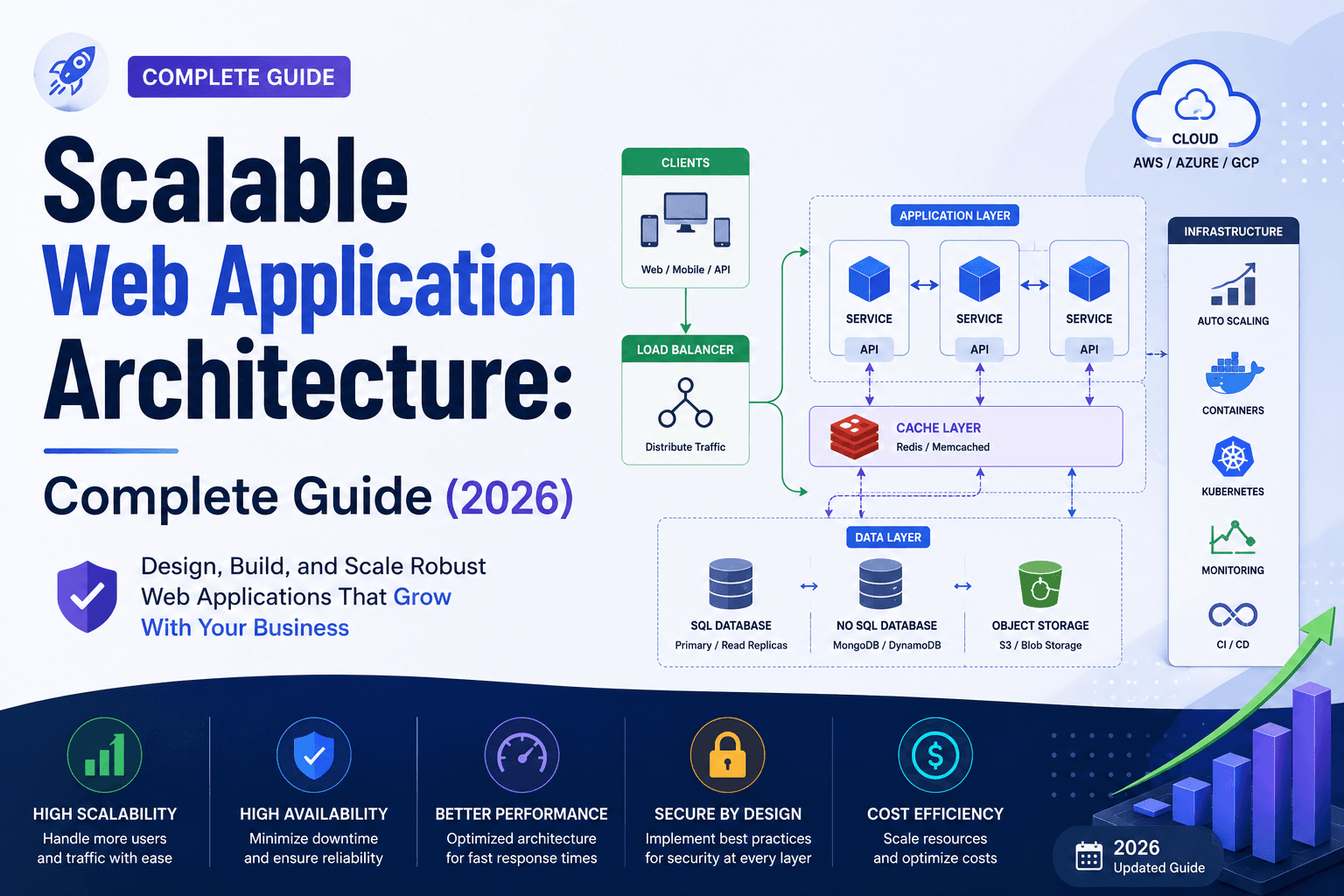
But when you start researching, the terminology becomes overwhelming: frontend frameworks, backend APIs, databases, cloud architecture, microservices, serverless functions. Every development agency uses different tech stacks and promises different outcomes.
This guide explains what custom web application development actually is, how it works, when you need it, and what it costs to build right.
What Is Custom Web Application Development?
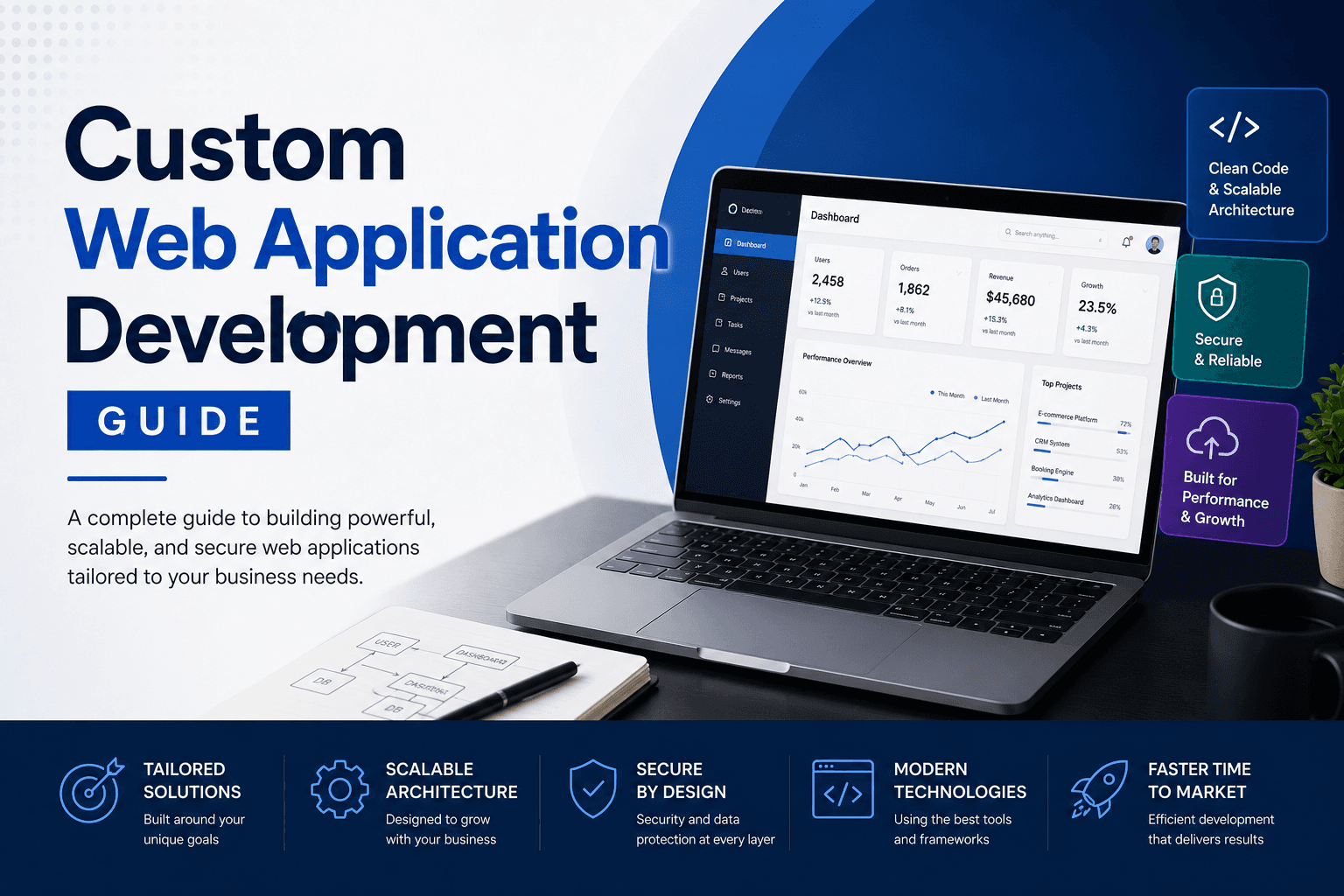
Custom web application development is building software that runs in a web browser, designed specifically for your business processes, users, and workflows.
Unlike websites (which primarily display information), web applications are interactive tools that process data, manage complex logic, and enable users to perform tasks. Think of Gmail, Trello, Salesforce, or your banking portal. These are web applications, not websites.
What defines a web application:
- User authentication and accounts
- Data processing and storage
- Real-time updates and interactions
- Business logic and workflows
- Integration with other systems and APIs
- State management across sessions
What custom web application development includes:
- Architecture designed for your specific requirements
- User interface built for your workflows
- Backend systems handling your business logic
- Database design for your data model
- API integrations with your existing tools
- Security, scalability, and performance optimization
What Is the Difference Between a Website and a Web Application?
This is the most fundamental question, and the confusion is understandable because the line has blurred over time.
| Feature | Website | Web Application |
| Primary purpose | Display information | Enable users to complete tasks |
| User interaction | Read content, navigate pages | Create, edit, process data |
| Authentication | Rarely required | Almost always required |
| Data processing | Minimal (contact forms, searches) | Extensive (CRUD operations, calculations) |
| Personalization | Limited or none | Highly personalized per user |
| Updates | Content changes via CMS | Dynamic data updates in real-time |
| Example | Corporate blog, portfolio, brochure site | Project management tool, CRM, booking system |
| Technology focus | Frontend presentation | Frontend + backend + database |
| Offline capability | Typically none | Often supported (PWA) |
The simple test: If a user can log in, create or modify data, and the system remembers that data for later use, it is a web application. If it primarily shows static or semi-static content that rarely changes based on user input, it is a website.
Real-world examples:
- Website: A restaurant's site showing menu, location, hours
- Web application: A restaurant's online ordering system where customers create accounts, place orders, track delivery, and view order history
- Website: A consulting firm's portfolio showcasing services and case studies
- Web application: A client portal where consultants track projects, upload deliverables, and clients approve milestones
Many modern "websites" actually contain web application features. An eCommerce store is technically a web application because it processes transactions, manages cart state, and stores user data. The distinction matters when scoping development work and estimating costs.
Examples of Custom Web Applications
Understanding what counts as a web application helps clarify when you need one.
Customer-Facing Applications
SaaS Products — Software delivered via browser that customers pay to use. Examples: project management tools, accounting software, design platforms.
Customer Portals — Secure areas where customers access their account information, documents, or support tickets.
Booking and Scheduling Systems — Applications that manage appointments, reservations, or bookings with calendar integration and payment processing.
eCommerce Platforms — Online stores with product catalogues, shopping carts, checkout flows, and order management.
Configurators and Quote Tools — Interactive tools where users customize products or services and generate quotes.
Internal Business Applications
CRM Systems — Custom relationship management tools tailored to specific sales processes and data requirements.
Inventory Management — Applications tracking stock levels, supplier orders, warehouse locations, and fulfillment.
Project Management Dashboards — Internal tools for tracking tasks, deadlines, resources, and team collaboration.
HR and Onboarding Platforms — Systems managing employee data, leave requests, performance reviews, and training.
Reporting and Analytics Dashboards — Data visualization tools pulling from multiple sources to display business metrics.
Industry-Specific Applications
Healthcare Patient Portals — HIPAA-compliant applications where patients access records, book appointments, and communicate with providers.
Financial Planning Tools — Applications for wealth management, loan calculators, investment tracking, or budgeting.
Learning Management Systems (LMS) — Educational platforms with course content, progress tracking, assessments, and certifications.
Logistics and Fleet Management — Real-time tracking of shipments, vehicles, routes, and delivery status.
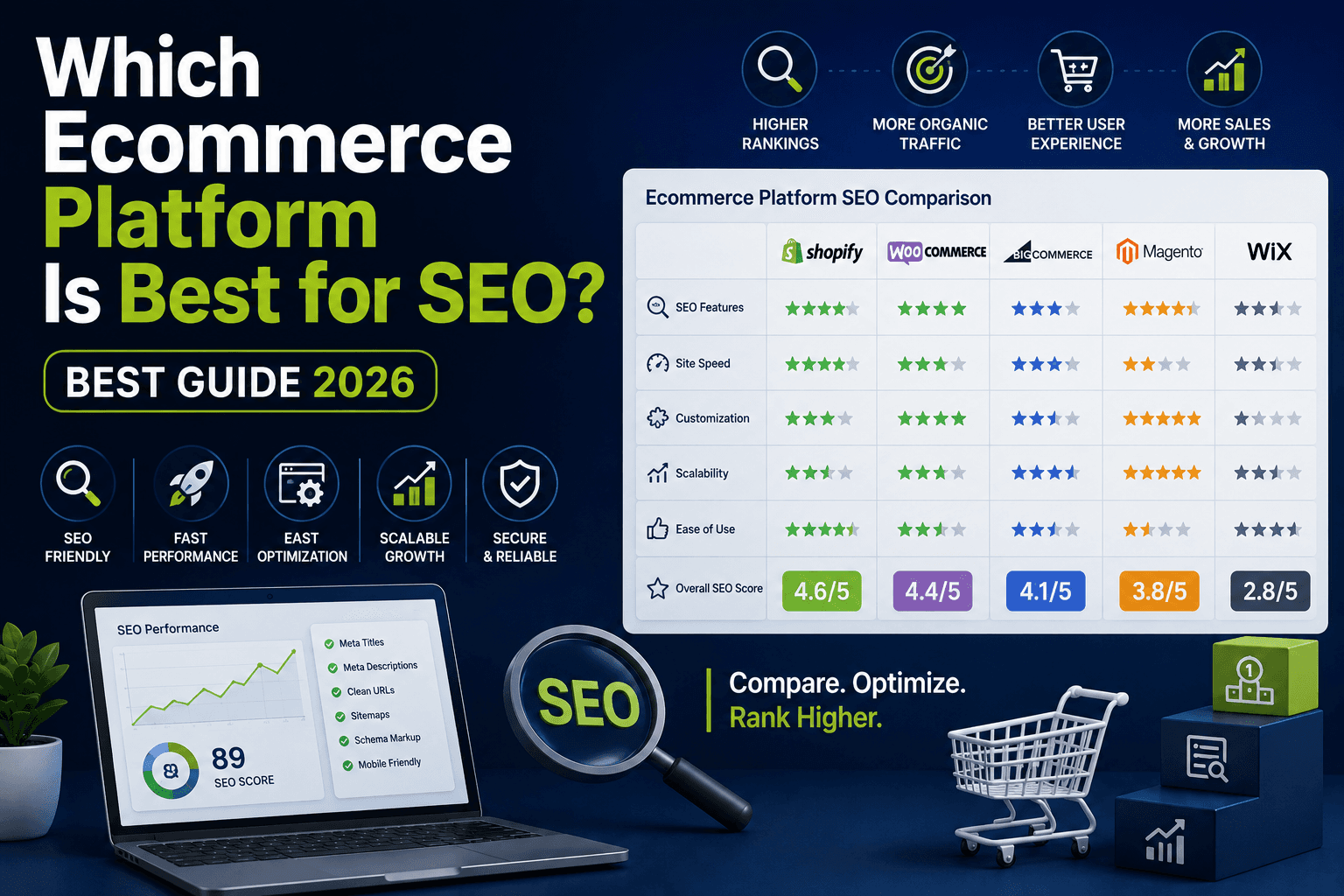
For businesses building applications in the eCommerce space, understanding how technical architecture affects growth is critical. Our guide on which eCommerce platform is best for SEO explains when custom development makes sense versus using existing platforms.
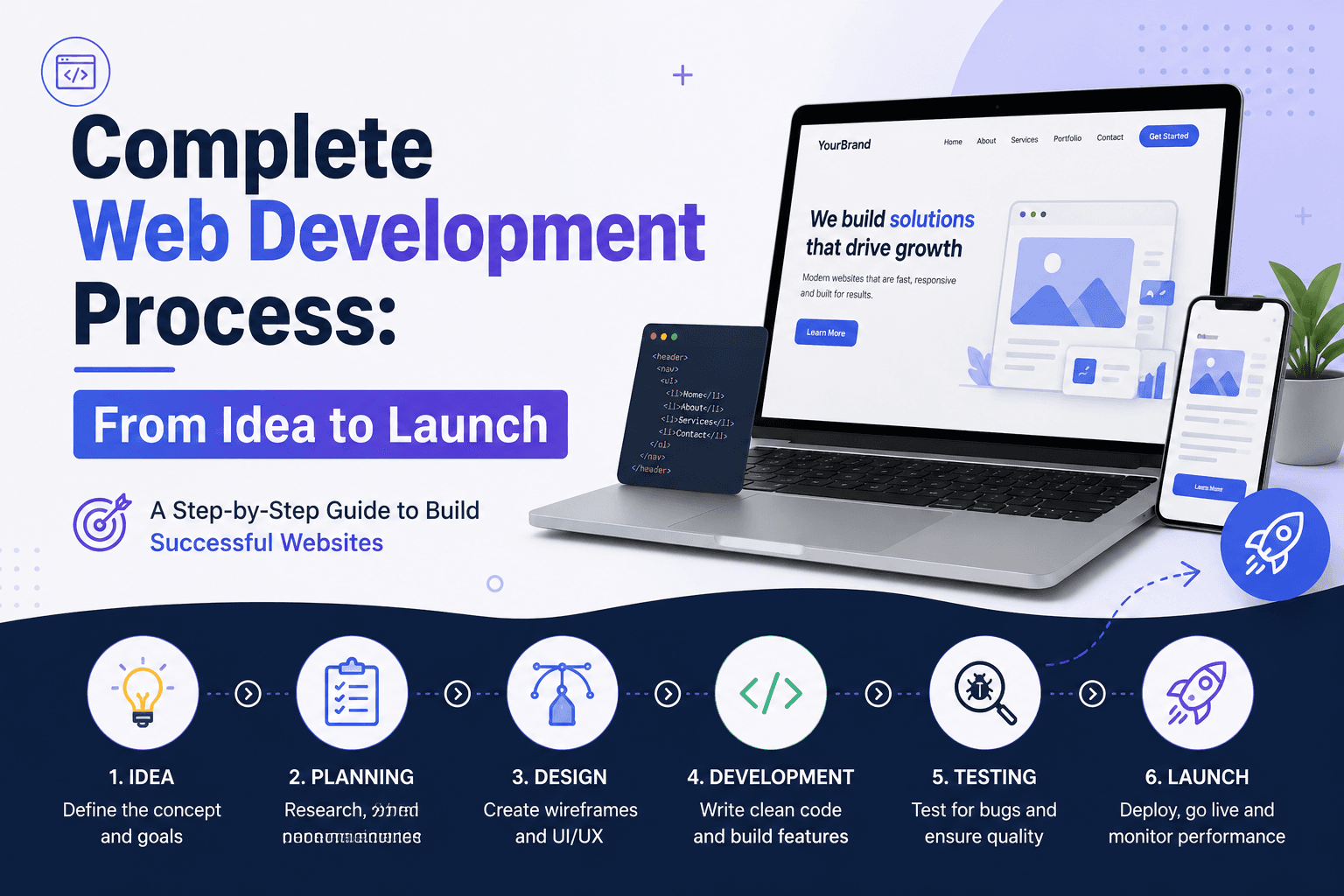
How Are Web Applications Developed? The Complete Process
Custom web application development follows a structured process. Understanding each phase helps you evaluate timelines, costs, and your own involvement accurately.
Phase 1: Discovery and Requirements (2 to 4 weeks)
What happens:
- Stakeholder interviews to understand business goals
- User research to identify who will use the application and how
- Workflow mapping to document current processes
- Feature prioritization using MoSCoW method (Must have, Should have, Could have, Won't have)
- Technical feasibility assessment
- Architecture planning and technology stack selection
Your involvement:
- Explain current pain points and manual processes
- Define success criteria and key metrics
- Identify integration requirements with existing systems
- Provide access to stakeholders and end users for research
Deliverables:
- Product requirements document (PRD)
- User personas and journey maps
- Technical architecture proposal
- Project timeline and budget estimate
Phase 2: Design (3 to 6 weeks)
What happens:
- Information architecture defining how data and features are organized
- User flow diagrams showing step-by-step interactions
- Wireframes outlining page layouts and component structure
- UI design with brand alignment and visual hierarchy
- Interactive prototypes for user testing
- Design system creation (components, patterns, guidelines)
Your involvement:
- Review and provide feedback on wireframes
- Participate in usability testing sessions
- Approve final designs before development begins
- Supply brand assets and style guidelines
Deliverables:
- Approved wireframes for all key screens
- Visual design mockups
- Interactive prototype
- Design system documentation
Phase 3: Backend Development (6 to 12 weeks)
Important note: In modern development, Phases 3 and 4 (Backend and Frontend) happen in parallel, not sequentially. Teams work in Agile sprints where backend and frontend developers collaborate simultaneously. While the timeframes below show 6 to 12 weeks each, they overlap significantly, which is why total development time is 20 to 40 weeks rather than 40 to 60 weeks. This parallel approach ensures faster delivery and better integration between layers.
What happens:
- Database schema design and optimization
- API development and documentation
- Business logic implementation
- Authentication and authorization systems
- Integration with third-party services
- Performance optimization and caching strategies
Your involvement:
- Review API documentation
- Test core workflows and edge cases
- Provide access to existing systems for integration
- Approve technical decisions that affect scalability
Deliverables:
- Functional backend with documented APIs
- Database architecture
- Integration documentation
- Testing reports
Phase 4: Frontend Development (6 to 12 weeks, overlapping with Phase 3)
What happens:
- Component library implementation
- Page and screen development
- State management setup
- API integration with backend
- Responsive design implementation
- Accessibility compliance (WCAG)
Your involvement:
- Review in-progress builds
- Provide feedback on user experience
- Test across browsers and devices
- Approve UI components and patterns
Deliverables:
- Functional user interface
- Component library documentation
- Cross-browser and device testing report
- Accessibility audit results
Phase 5: Testing and Quality Assurance (4 to 8 weeks, overlapping with Phases 3 and 4)
What happens:
- Unit testing for individual components
- Integration testing for API endpoints
- End-to-end testing of user workflows
- Performance testing under load
- Security testing and vulnerability assessment
- User acceptance testing (UAT)
Your involvement:
- Participate in UAT sessions
- Report bugs and usability issues
- Approve testing sign-off
- Validate against original requirements
Deliverables:
- Test plans and test cases
- Bug reports with resolution status
- Performance benchmark report
- Security assessment report
- UAT sign-off document
Phase 6: Deployment and Launch (2 to 4 weeks)
What happens:
- DevOps setup (CI/CD pipelines)
- Cloud infrastructure provisioning
- Production environment configuration
- Database migration and seeding
- SSL certificates and security hardening
- Monitoring and alerting setup
Your involvement:
- Approve deployment plan
- Provide domain access and SSL certificates
- Prepare internal team for launch
- Coordinate with stakeholders for go-live
Deliverables:
- Deployed application in production
- Monitoring dashboards
- Runbooks for operations and incident response
- Deployment documentation
Phase 7: Post-Launch Support and Iteration (Ongoing)
What happens:
- Monitoring for bugs and performance issues
- User feedback collection and analysis
- Feature enhancements and optimizations
- Security updates and patches
- Technical debt management
- Scaling based on usage patterns
Your involvement:
- Report issues through support channels
- Prioritize feature requests
- Provide ongoing feedback for improvements
- Budget for iterations and enhancements
Deliverables:
- Bug fixes and patches
- New features and enhancements
- Performance reports
- Regular sprint updates
How Long Does It Take to Build a Custom Web Application?
Typical timelines vary based on complexity:
- Simple applications (user accounts, basic CRUD, simple workflows): 12 to 20 weeks
- Standard business applications (multiple user roles, integrations, complex workflows): 20 to 40 weeks
- Complex applications (real-time features, third-party integrations, compliance requirements): 40 to 60 weeks
- Enterprise platforms (large-scale systems with multiple modules): 60+ weeks
These timelines assume a dedicated team and do not include extended discovery phases, compliance audits, or major scope changes mid-project.
How Much Does Custom Web Application Development Cost?
Cost depends on complexity, team location, and methodology. Here's a general framework:
By Application Type
- Simple web applications (basic features, minimal integrations): $30,000 to $60,000
- Standard business applications (multiple user roles, standard integrations): $60,000 to $150,000
- Complex applications (real-time, advanced integrations, compliance): $150,000 to $350,000
- Enterprise platforms (large-scale, multi-module, high availability): $350,000+
By Engagement Model
- Fixed price: Best for well-defined scope. Higher risk premium for agencies. Predictable budget.
- Time and materials: Best for evolving requirements. More flexibility. Cost depends on actual hours.
- Dedicated team: Best for ongoing product development. Predictable monthly cost. Full team focus.
Hidden Costs to Budget For
- Third-party service subscriptions (AWS, Stripe, SendGrid)
- SSL certificates and security tools
- Ongoing maintenance (budget 15-20% of initial build annually)
- Future feature development
- User training and documentation
- Legal and compliance review (HIPAA, GDPR, PCI)
Common Web Application Development Mistakes to Avoid
Avoiding these pitfalls saves time and money:
Skipping Discovery
Starting development without clear requirements leads to scope creep, rework, and budget overruns. Invest 4 to 8 weeks in discovery before writing code. The cost upfront prevents 10x problems later.
Choosing the Wrong Technology Stack
Selecting trendy technologies without evaluating team expertise, long-term support, or fit for your specific requirements creates technical debt. Match technology to problem, not to hype.
Underestimating Testing Time
QA should run parallel to development, not as a final phase. Bugs caught in development cost 10x less to fix than bugs in production. Build testing into every sprint.
Ignoring Security from Day One
Security cannot be bolted on later. Plan for authentication, authorization, data encryption, and compliance from the architecture phase. The cost of a security breach far exceeds the cost of prevention.
No Monitoring or Analytics
Launching without tracking is flying blind. Set up application monitoring, error tracking, and user analytics before launch. You cannot improve what you cannot measure.
Scope Creep Without Process
Adding features mid-project without evaluating impact derails timelines and budgets. Establish a change request process with impact analysis before development begins.
When Do You Need Custom Web Application Development?
Not every business needs custom software. Here's how to evaluate:
You Need Custom Development When:
- Your workflows are unique and existing software cannot accommodate them
- Existing tools cannot integrate with your systems
- Software capabilities are part of your competitive advantage
- You need to build a product to sell to customers
- Compliance requirements demand specific data handling
- Scale requirements exceed what off-the-shelf solutions handle
- Data ownership and portability are critical concerns
Existing Software May Suffice When:
- Your processes fit standard workflows
- Your business is not differentiated by software capabilities
- You need to move fast with minimal investment
- You lack resources for ongoing maintenance
- Your needs are likely to change frequently
How to Choose a Web Application Development Partner
Finding the right partner matters as much as the project itself:
Evaluate Technical Expertise
Look for teams with experience in your industry and technology stack. Ask for architecture examples, not just portfolio screenshots. Technical competence shows in how teams discuss trade-offs, not just features delivered.
Assess Communication and Process
Development is collaborative. Evaluate how the team communicates, how often they provide updates, and how they handle feedback. Ask about their sprint cadences, review processes, and documentation standards.
Check References and Case Studies
Speak with past clients about delivery experience, post-launch support, and whether they would hire the team again. Case studies should explain the problem solved, not just the technology used.
Understand Their Support Model
Launch is not the end. Ask about maintenance packages, response time guarantees, and how they handle urgent issues. Knowing support costs upfront prevents surprises.
Conclusion
Custom web application development is a significant investment. Understanding the process, timelines, costs, and common pitfalls helps you make informed decisions and set realistic expectations.
You need a web application when your business processes require interactivity, data management, and user accounts that go beyond what websites offer. The structured development process—from discovery through deployment—ensures your application is built right for your specific needs.
Whether you build in-house or partner with an agency, success depends on clear requirements, realistic timelines, ongoing communication, and planning for long-term maintenance.
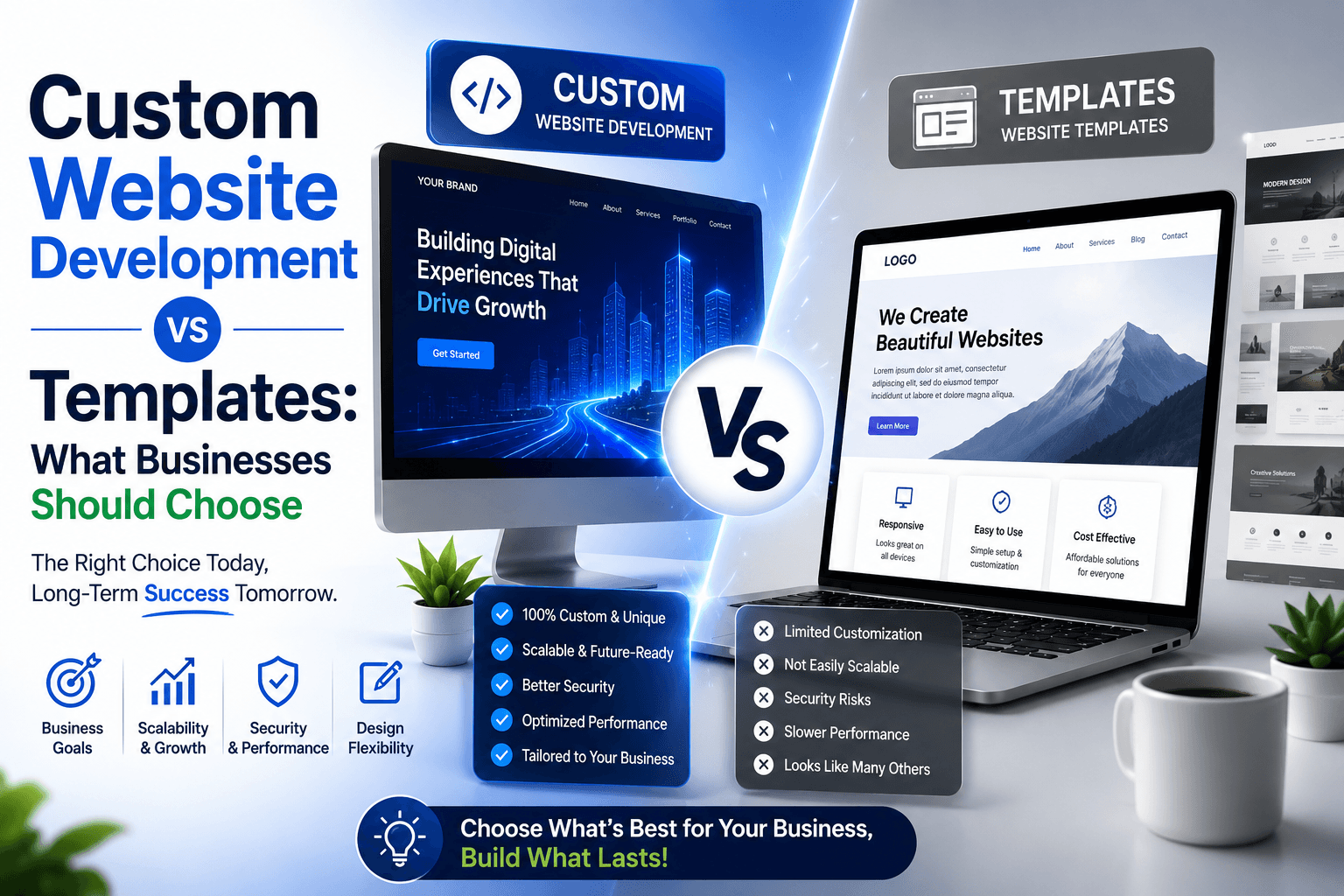
For businesses evaluating whether to build custom or use platforms, read our guide on which eCommerce platform is best for SEO. To understand when bringing in development expertise makes sense, see our article on should I hire an SEO agency. Explore our custom web development services to see how The Development builds scalable applications for growing businesses across Australia.